What Temperature to Set a Portable Air Conditioner (UK)
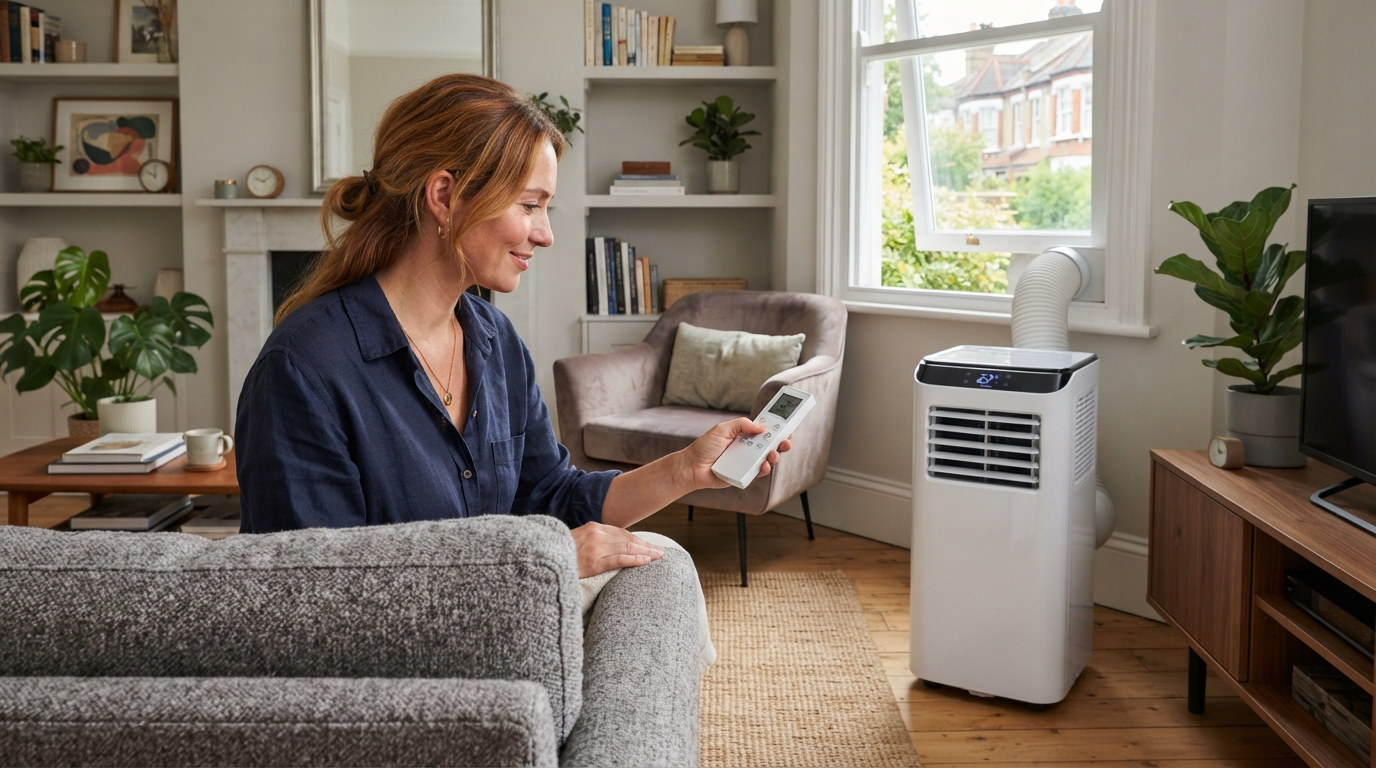
For most people, around 24°C is the sweet spot — comfortable, and far cheaper to hold than a colder setting. The rule to remember is that every degree lower widens the gap between your room and the hot outside, so more heat flows in and the unit works harder: chasing 18°C can cost dramatically more than 24°C for a difference you rarely need. Two things matter as much as the number: setting the minimum does not cool the room any faster (a common myth — it just runs longer towards a colder target), and the mode matters as much as the temperature. Use Cool for heat, Dry for a muggy-but-not-boiling day, Sleep mode overnight for quiet running, and Fan when you just want air movement without cooling.
Getting the most from a portable air conditioner is as much about the mode and a sensible set point as the machine itself. Here’s how to set it — and the settings people get wrong.
The number: aim for around 24°C
A set point of roughly 24°C keeps most people comfortable while keeping the running cost sensible. The reasoning is the same physics that governs the whole subject: heat leaks into your room in proportion to the difference between inside and outside. Hold 18°C when it’s 30°C outside and you’re maintaining a 12-degree gap, with heat pouring in at that rate the whole time; hold 24°C and the gap is halved, so far less heat arrives and far less energy is needed to remove it. Our leave-it-on vs turn-it-off guide works through this, and our summer house temperature guide covers the comfort ranges.
There’s a comfort argument too: stepping from a hot day into an 18°C room is an unpleasant shock, and over-cooled rooms cause dry throats and that clammy feeling when you step back out. A moderate temperature with some air movement feels better than a cold room and costs a fraction as much. Our running cost guide shows how to price it with current rates.
The modes, and when to use each
Portable units usually offer several modes, and choosing the right one matters as much as the temperature:
- Cool — the main mode. The unit cools to your set temperature and the compressor cycles to hold it. Use it when the problem is heat. Set around 24°C and a fan speed to suit.
- Dry (dehumidify) — removes moisture from the air with only gentle cooling. This is the one to reach for on a muggy but not especially hot day, where it’s the stickiness rather than the temperature making you uncomfortable. It uses less energy than full cooling and makes a humid room feel much fresher. Not a substitute for a proper dehumidifier for winter damp, as our AC vs dehumidifier guide explains, but genuinely useful on a close summer day.
- Fan — just circulates air, no cooling, so no compressor and very low running cost. Useful when you want air movement but don’t need the temperature dropped — though a plain fan does this more cheaply.
- Sleep (or Night) — the mode for bedrooms. It typically lets the temperature drift up gently through the night and runs the fan slower and quieter, which matches the body’s own overnight pattern and cuts both noise and running cost. Use it overnight rather than a fixed low temperature — our quiet bedrooms guide covers sleeping with a unit running.
- Auto — the unit picks mode and fan speed to reach and hold your set temperature. Convenient, though it can end up cooling harder than you’d choose; fine for set-and-forget, less so if you’re watching the cost.
- Eco — where fitted, moderates the cooling to save energy, often by allowing a slightly higher temperature or gentler operation. Worth trying if keeping the bill down matters more than hitting an exact temperature.
Fan speed: separate from temperature
Fan speed and set temperature are different controls. A higher fan speed moves more air, so the room reaches the set temperature faster and you feel more air movement — useful when cooling down a hot room or during the day. A lower fan speed is quieter, better for sleeping or working, at the cost of slower cooling. A common good setup: high fan to pull a hot room down, then drop to low once it’s comfortable.
The strategy that beats any single setting
The cheapest, most comfortable approach isn’t really about the number at all — it’s pre-cool, then ease off:
- Shade and seal the room so the unit isn’t fighting sun and leaks — our shading guide and seal kits guide cover it. This does more for the running cost than any set-point tweak, especially with a single-hose unit that draws warm air in through gaps.
- Cool it down on Cool mode with a high fan to your comfortable temperature.
- Then let it hold, switch to Eco or Sleep, or switch off and coast in a sealed, shaded room. Pre-cooling before bed and switching off often gives a better night than running all night, as our leave-it-on guide explains.
Where the unit reads the temperature
A portable unit’s thermostat sensor is usually at the unit itself, drawing in room air — so it reads the temperature there, not across the room. Two practical points: don’t tuck the unit into a hot corner or behind furniture where it reads warmer than the room, and don’t sit it in direct sun from a window. If one part of the room feels different from the set temperature, that’s usually why. Our thermometers guide covers checking the actual temperature where you are.
When to set it cooler than the ideal
The 24°C guidance is about comfort and cost for a typical adult. Set it lower where there’s a genuine reason:
- Vulnerable people — older or unwell household members, or a baby’s room — where keeping the room reliably cool is a health matter, not a comfort one. Follow NHS heat advice and see our elderly heatwave guide; for a nursery, follow Lullaby Trust and NHS temperature guidance rather than a cooling site.
- Pets left in the room — use a sensible temperature rather than switching off, and ensure shade, ventilation and water, per our pets guide.
- A day-sleeper whose sleep lands in the hottest hours — our shift workers guide covers running it through the day.
Frequently asked questions
What temperature should I set my portable air conditioner to?
Around 24°C for most people — comfortable and much cheaper to hold than a colder setting, because each degree lower means more heat flowing in and more work for the unit. Add air movement rather than a lower temperature if you want to feel cooler.
Does setting it lower cool the room faster?
No — a common myth. The unit cools at the same rate whatever the target; a lower target just runs it longer to a colder end point. To cool a hot room quickly, set your comfortable temperature and use a high fan speed.
What’s Dry mode for?
Removing humidity with only gentle cooling — ideal for a muggy but not especially hot day, where the stickiness is the problem. It uses less energy than full cooling and freshens a close room. It’s not a replacement for a dehumidifier for winter damp.
Should I use Sleep mode at night?
Yes, in a bedroom — it runs quieter and lets the temperature drift up gently through the night, matching your body and cutting noise and cost. It’s better than holding a fixed low temperature all night.
Why doesn’t the room match the set temperature?
The unit reads the temperature at itself, not across the room, so if it’s tucked in a hot corner, behind furniture, or in direct sun it reads wrongly. Give it clear airflow out of direct sun, and check the temperature where you actually sit.
Sources
- Energy Saving Trust — Home appliances and energy use
- Ofgem — Energy price cap (current unit rates)
- NHS — Heat exhaustion and heatstroke
Related reading: our leave-it-on vs turn-it-off guide and running cost guide.
A unit with a good thermostat, sleep mode and eco setting makes the sensible temperature easy. Compare current options at Amazon UK.