Air Conditioner Making a Loud Noise or Rattling: What It Means
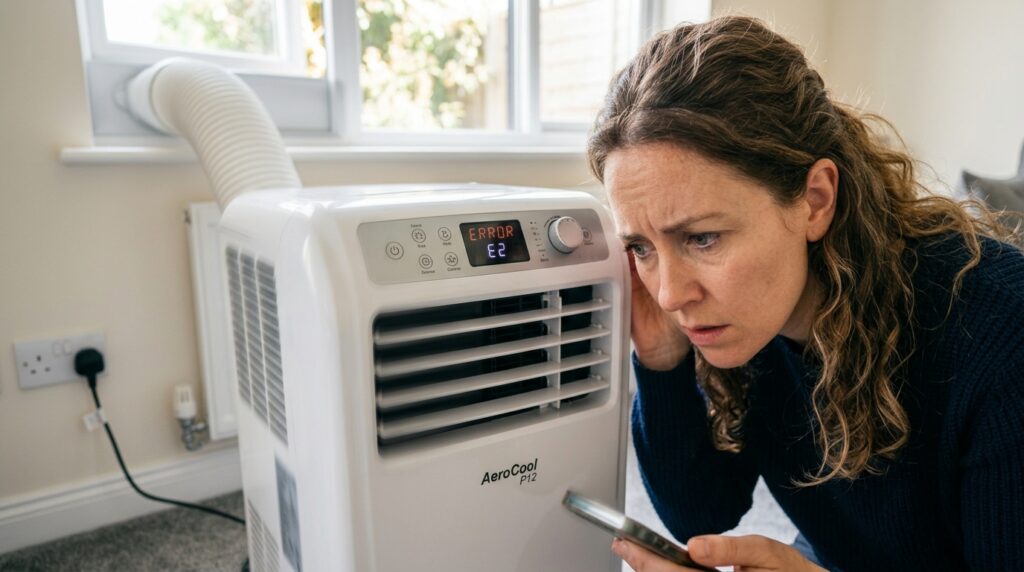
Most noises are normal and tell you the machine is working. Gurgling or bubbling is refrigerant moving through the circuit or condensate draining. Clicking at start and stop is the thermostat. Rattling is nearly always something loose, and fixable in two minutes — start by checking the unit is level and the hose isn’t touching anything. The ones that need attention are grinding, screeching, heavy banging, a hiss that doesn’t stop, and any buzzing or crackling. That last group means switch off, not investigate.
Air conditioners aren’t silent appliances, and a good deal of “is mine broken?” worry is caused by sounds that are entirely ordinary.
Normal — no action needed
Gurgling or bubbling. The most asked about, almost always benign. Refrigerant changes between liquid and gas as it circulates, and that movement gurgles — particularly just after the compressor starts or stops. It can also be condensate draining internally, or being flung onto the condenser on a self-evaporating model, which is exactly what that design does.
A single click at start or stop. The thermostat or compressor switching. Normal.
A low steady hum or drone. The compressor and fan. This is the main operating noise and what published decibel figures measure.
A brief hiss when it starts or stops. Pressure equalising in the refrigerant circuit. Should be brief.
Water sloshing. Condensate in the tank. Means it’s filling and will eventually shut the unit off — better to set up continuous drainage so it never does. Our drainage guide covers it.
Rattling — work through this list
Nearly always fixable yourself, usually in minutes.
- Is the unit level? On an uneven floor one castor carries less weight and the casing vibrates. Most units also rely on gravity for internal drainage, so being level matters twice. Our carpet guide covers sorting this on soft flooring.
- Is the exhaust hose loose at either end? A coupling not fully seated rattles against the casing.
- Is the hose touching something? Resting against a radiator, skirting board or window frame transmits vibration into it.
- Is the filter properly seated? One not clipped in vibrates against the grille.
- Is anything on top of or against the unit?
- Is it on a hard floor? Laminate and tile amplify vibration. A rigid board with thin anti-vibration pads underneath helps — not a folded towel or rug, which compresses unevenly and can block underside vents.
- Are the window kit panels rattling? Slider panels not properly tensioned buzz in a breeze.
If it rattles only at certain fan speeds, that’s a resonance — something vibrating at that specific frequency. Moving the unit a few inches often eliminates it entirely.
Rhythmic tapping or ticking is usually the fan blade catching something: a loose piece of filter material, a cable tie, packaging left inside. Unplug, look into the intake and outlet with a torch, remove what you find.
Sounds that need attention
Grinding or screeching suggests a failing fan motor bearing or a compressor problem. Stop using it. On a portable past warranty, replacement usually makes more sense than repair.
Loud banging or knocking — heavy and metallic, distinct from a rattle. Can indicate a loose internal component or compressor mounting. Switch off.
Continuous hissing alongside declining cooling can indicate a refrigerant leak.
When it’s working fine but still too loud
A different problem, and a common one.
- Check which fan speed the published decibel figure refers to. A figure quoted without that tells you very little, and units are considerably louder at full speed. Independent measurement can differ too — Trusted Reviews measured 58.5 dB fan-only on the Meaco Pro 9000 against a published 52 dB low-fan figure.
- Compressor cycling is the intrusive part. Clicking in and out disturbs sleep more than steady running. Correct sizing reduces cycling — our sizing guide covers it, and our short cycling guide covers diagnosing it.
- Use sleep or night mode if available — usually reduces fan speed and dims the display.
- Don’t put it in a corner. Two adjacent hard surfaces reflect and amplify.
- Move it off a hard floor onto a rigid board with vibration pads.
Our quiet operation guide covers choosing for noise, and our neighbour noise guide covers when it’s someone else’s unit.
Quick reference
| Sound | Likely cause | Action |
|---|---|---|
| Gurgling, bubbling | Refrigerant or condensate | Normal |
| Click at start/stop | Thermostat | Normal |
| Click every few minutes | Short cycling | Investigate |
| Steady hum | Compressor and fan | Normal |
| Rattle | Loose part, unlevel | Check and fix |
| Tapping | Object near fan | Unplug and inspect |
| Continuous hiss | Possible leak | Off, ventilate |
| Grinding, screeching | Bearing or compressor | Stop using |
| Buzzing, crackling | Electrical fault | Unplug now |
Frequently asked questions
Is gurgling a sign it needs refrigerant?
No — gurgling is normal refrigerant movement. Declining cooling plus a continuous hiss is the combination suggesting a leak. A sealed system shouldn’t lose refrigerant at all, so any loss is a fault rather than wear.
It’s louder than last year. Why?
Usually a clogged filter making the fan work harder, or something loosened by being moved and stored. Clean the filter first — our maintenance guide covers it.
Should it be quieter in dry mode?
Usually, since dry mode typically runs the fan slower. If it’s noisier, check the filter and drainage.
Sources
- Electrical Safety First — Electrical safety around the home
- BESA — Rise of propane sparks safety fears (R290 classification)
- Trusted Reviews — MeacoCool MC Series Pro 9000 review (independent noise measurement)
- GOV.UK — Fluorinated gases (F-gases): rules
Related reading: our troubleshooting guide and maintenance guide.
If the noise points to a failing unit, compare current specifications at Amazon UK. Check the decibel figure and the fan speed it was measured at.