Best Air Conditioner for a Home Recording Studio (UK)
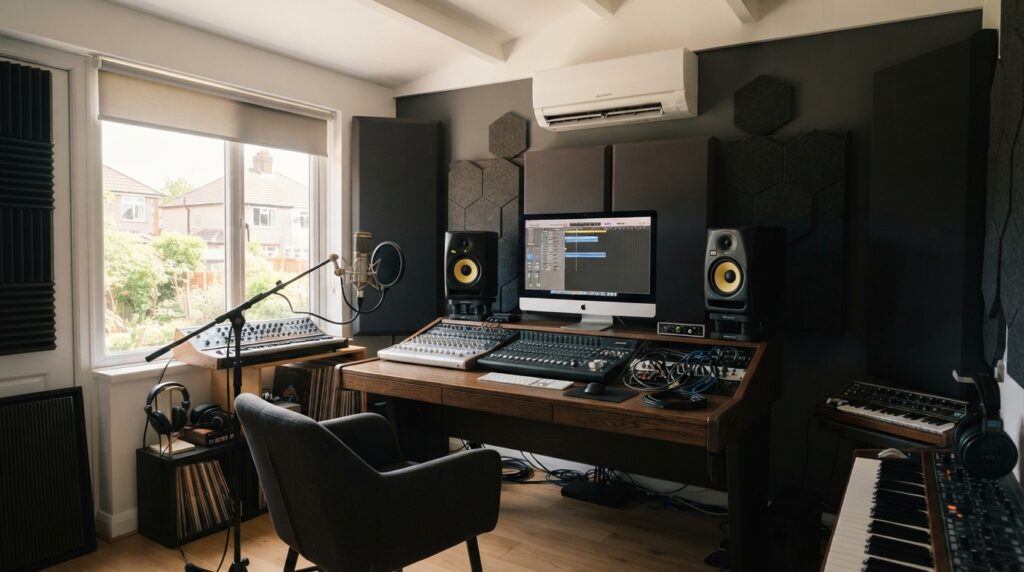
A home studio has two problems stacked on top of each other that most rooms don’t: it’s often genuinely sealed for soundproofing — a solid or acoustic door, blocked trickle vents, sometimes no openable window at all — which traps heat far more effectively than an ordinary room ever would, and it’s carrying a real secondary heat load from a computer, an audio interface, monitors, and any amps or outboard gear running for hours at a time. The realistic answer isn’t finding a “silent” air conditioner — no compressor unit is truly silent — it’s running the unit between takes and sessions to bring the room down, then switching to its quietest mode or off entirely while you’re actually recording, exactly the way you’d already treat any other noise source in the room.
A soundproofed room is brilliant for keeping noise out and your takes clean, but that same sealing works directly against keeping the room cool — here’s how to actually manage both at once.
Why a treated room runs hotter than it looks like it should
Don’t chase a mythical “silent” unit — manage when it runs instead
Every compressor-based portable air conditioner makes some noise, and no amount of shopping around changes that fundamentally — the honest goal is managing when it runs, not finding one you’ll never hear. The most workable pattern most home studio owners land on is running the unit at full power between takes, between songs, or during a break, to bring the room back down, then switching to its quietest mode — or off entirely for a genuinely critical take — while the microphone is actually live. Our quietest air conditioner guide covers the general noise-management principles, but a studio’s bar is higher than a video call: a call’s other participants are hearing you through a compressed, noise-suppressed connection, while a microphone in a treated room captures everything, cleanly, exactly as it happened.
Choosing the unit itself
A portable air conditioner with a genuine low-noise or eco mode
For running between takes, not necessarily during them
Enough cooling power to recover the room quickly between takes
Works alongside, not instead of, session planning
Prioritise a unit with a genuinely usable quiet or eco mode over chasing the single lowest decibel figure on a spec sheet — you’ll be running it hard between takes and quiet (or off) during them, so both ends of that range matter more than one headline number. Independent reviews of how a unit actually sounds at a working distance are more useful here than the manufacturer’s own figure, for exactly the same reasons covered in our WFH noise guide.
Good for: recovering room temperature quickly between takes; a genuinely usable low-noise mode for background cooling; working alongside deliberate session planning.
Less good for: running continuously through a critical take — no compressor unit is quiet enough for that, whatever the spec sheet claims.
Positioning relative to your mic matters more here than anywhere else
- Keep it well outside the microphone’s pickup pattern where possible — behind or to the side of a cardioid mic rather than directly in front of it, so even quiet-mode operation between light passes or spoken cues picks up as little as possible.
- If you have an isolated vocal booth, cooling the outer control room rather than the booth itself, and only briefly opening the booth to let cooler air in between takes, often works better than trying to run a unit inside the booth at all.
- Route the exhaust hose away from your acoustic treatment where you can — warm exhaust air blown directly across foam panels or bass traps over a long session is a minor but avoidable inefficiency.
Don’t forget the condensate routine in a sealed room
A portable air conditioner produces genuine condensate water as it runs, and in a room with no openable window and controlled airflow by design, you can’t rely on the passive ventilation a normal room might offer to help things along. Check and empty the tank on a proper routine rather than assuming it’ll take care of itself, and see our leaking water guide if you notice water appearing somewhere it shouldn’t.
A side benefit: more stable humidity for instruments and gear
Cooling isn’t the only thing a well-run air conditioner does for a treated room — most also reduce humidity as a normal part of the cooling process, and stable humidity matters more in a studio than people often expect. Wood-bodied instruments, in particular, can shift subtly in tuning stability and feel as humidity swings between a stuffy, closed-up room and whatever conditions it started the day in. Keeping conditions more consistent, not just cooler, is a genuine secondary reason to manage a treated room’s climate properly rather than just opening the door between takes and hoping for the best.
Frequently asked questions
Is there a genuinely silent air conditioner for a recording studio?
No — every compressor-based unit makes some noise. The realistic approach is running it between takes to cool the room, then switching to quiet mode or off while you’re actually recording, rather than searching for a mythical silent model.
Why does my treated studio room get hotter than other rooms in the house?
Acoustic treatment and soundproofing rely on minimising airflow and gaps, which also traps heat. Combined with a computer, interface, monitors and other gear running for hours, a small treated room can heat up faster than an equivalent untreated room.
Where should I position the unit relative to my microphone?
Outside the mic’s pickup pattern where possible — behind or to the side of a cardioid mic rather than directly in front — so any noise during quiet-mode operation between passes is picked up as little as possible.
Sources
- Health and Safety Executive — Noise at work
- Energy Saving Trust — Keeping your home cool in summer
Related reading: our quietest air conditioner for working from home guide and maintenance guide.
Compare current quiet-mode portable air conditioners at Amazon UK.