Why Your Wi-Fi Gets Worse in Hot Weather (UK)
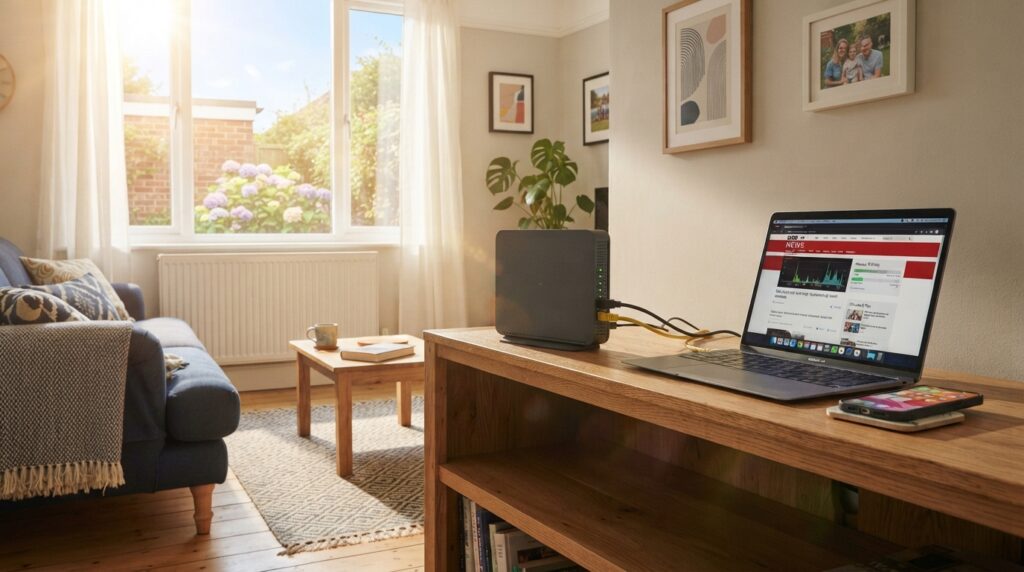
Because your router is a small computer with no fan, and in a heatwave it’s often sitting in the hottest, most enclosed spot in the house. Virgin Media has warned customers directly about this, advising people not to conceal the Hub, to stand it upright where air can move around it, and to keep it indoors, cool and out of direct sunlight. When a router runs too hot it can slow down, drop connections, or stop working until it cools. The fix is almost always free: move it out of the sun, off the windowsill, out of the cupboard, and give it space on all sides. If you’ve been blaming your broadband provider every August, this is usually why.
Every summer the same thing happens: the temperature hits the high twenties, and the Wi-Fi starts dropping out during the film. It’s easy to assume the network is struggling because everyone’s at home. Often the problem is sitting on your windowsill, quietly cooking.
What heat actually does to a router
A router is a small always-on computer. It has a processor, memory and radios, and almost all consumer routers cool themselves passively — no fan, just vents and the casing shedding heat into the room. That works fine when the room is 20°C. It works much less well when the room is 30°C and the unit is in direct sun.
When a device like this can’t shed heat fast enough, it protects itself by slowing down, and if things get worse it restarts or shuts off. From your sofa that looks like buffering, a video call freezing, or the connection simply disappearing and coming back a few minutes later. Virgin Media’s guidance to customers points at exactly these symptoms — reduced speeds, dropped connections and loss of connectivity — as the reason to keep hardware cool.
What the provider actually says
The five places people put a router that make this worse
- On a sunny windowsill. The worst of both worlds: direct sun onto a dark plastic case, in the hottest part of the room. Very common, because that’s where the socket is.
- In a cupboard or media unit with the door shut. A router in a closed box heats the box, and then the box heats the router.
- Lying flat, or stacked under a set-top box, console or hard drive. Most routers are designed to stand upright so air rises through the vents. Flat, with something warm on top, defeats that.
- Behind the TV, sandwiched between the wall and a large panel that’s also producing heat.
- In the loft or conservatory, which is where mesh nodes and boosters often end up, and which are the hottest spaces in a British house in summer.
The free fixes, in order
- Get it out of direct sunlight. If the sun lands on it at any point in the day, move it or shade the window. Closing blinds on the sunny side helps the whole room, as our keeping heat out guide covers.
- Stand it upright with clear space around it, front, back and both sides, and nothing on top.
- Open the cupboard, or move it out of one entirely.
- Unstack it from other equipment. A set-top box or games console running underneath a router is a heat source held right against it.
- Check the vents aren’t full of dust. Passive cooling depends entirely on air moving through those slots.
- Restart it once it’s cool, not while it’s hot, if it’s been misbehaving.
If you’ve done all that and it still struggles
A small quiet USB fan
A last resort, not a first step
Moves air past a passively cooled device
Small enough to sit beside a router
Being honest about this: the real fix is placement, and it costs nothing. If the router genuinely has to live somewhere warm and enclosed — a fixed socket in an awkward spot, a media unit you can’t rearrange — a small fan set to move air past it does help, because passive cooling is entirely about air movement. Point it across the vents rather than directly at the case, look for one quiet enough that you’ll actually leave it running, and don’t block the vents with the fan itself.
Good for: a router stuck in a cupboard or enclosed unit; equipment shelves with several devices together; keeping a mesh node stable in a hot room.
Less good for: being necessary at all, in most homes — moving the router is free and usually solves it. A fan also adds noise and another thing plugged in.
It isn’t only the router
The same logic applies to everything else that’s on all day. Set-top boxes, games consoles, network storage and laptops all cool passively or with small fans, and all of them work harder in a hot room. That’s the flip side of a question we’ve covered before — whether leaving electronics on standby makes a room hotter — because the heat a device gives off and the heat it has to cope with are the same heat. If you work from home, a laptop throttling in a hot room is the same problem in a different box, and our laptop cooling pad guide covers that one.
Frequently asked questions
Can hot weather really slow down my broadband?
It can affect the equipment in your house. Virgin Media has advised customers to keep routers out of direct sunlight and well ventilated, because overheating hardware can mean reduced speeds, dropped connections or loss of connectivity.
Should my router stand up or lie flat?
Upright, unless the manufacturer says otherwise. Virgin Media’s advice is to position the Hub upright with adequate airflow and not to conceal it, because passive cooling relies on air rising through the vents.
Is it safe to point a fan at my router?
Moving air past a passively cooled device helps it shed heat, so a small fan is a reasonable last resort if the router has to stay somewhere warm. Aim it across the vents rather than blocking them, and try moving the router to a cooler, more open spot first, since that’s free.
Sources
- Utility Switchboard, reporting Virgin Media’s customer advice — Virgin Media warns customers to keep routers out of the sun
- TechRadar — Experts warn of heatwave danger to routers
Related reading: our electronics and standby heat guide, laptop cooling pad guide and quietest air conditioner for video calls.
Compare current small quiet USB fans at Amazon UK.