Does Leaving Electronics on Standby Make a Room Hotter in a Heatwave?
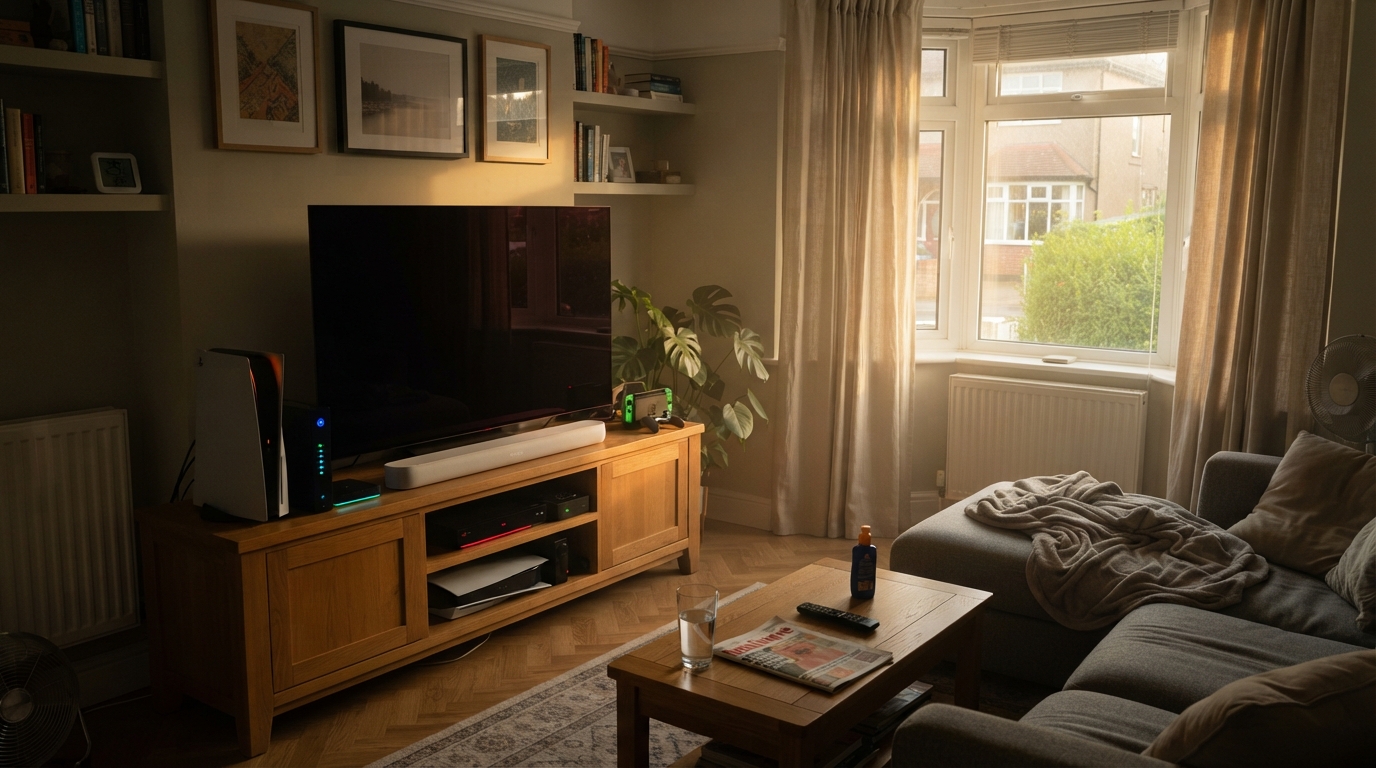
Genuine standby draws too little power to heat a room noticeably — modern devices are regulated to very low standby consumption, and a few watts produces no perceptible warmth. The heat you can actually feel comes from things that are switched fully on: a desktop PC left idling, multiple monitors, an older set-top box, or a console in always-on rest mode. A typical home-office setup can be putting out 130–150W continuously, which is comparable to a small heater running quietly in the corner.
This question usually gets one of two unsatisfying answers online: “unplug everything, it all adds up,” or “it’s negligible, don’t worry.” The honest answer sits in between, and depends entirely on distinguishing two things that get lumped together under the word “standby” — devices that are genuinely dormant, and devices that are technically “off” while still doing substantial electrical work.
Where the electricity goes, thermodynamically
Worth establishing first, because it makes everything else obvious. Electronic devices convert essentially all the electricity they consume into heat. A laptop doing spreadsheets isn’t storing that energy anywhere — the computation is effectively free, and the electricity ends up as waste heat dumped into the room.
So a device’s power draw in watts is its heat output in watts, near enough. A 100W device is a 100W heater. This makes the question tractable: you just need to know the actual wattages.
What true standby actually draws
Standby consumption has fallen dramatically because it’s regulated. EU and UK ecodesign rules have progressively capped standby power for consumer electronics, with limits around 1W for many product categories introduced from 2013 onward.
The practical result: a modern TV in genuine standby draws single-figure watts at most, often around 1W. A modern games console in true standby, with network features off, can draw well under 1W.
Run the numbers on the upper end of that: a 3W device running continuously for 24 hours uses about 0.07 kWh a day. As heat, 3W is roughly a twentieth of an old-fashioned incandescent bulb. Across five such devices you have 15W total — genuinely imperceptible in any room large enough to sit in.
Conclusion: true standby is not why your room is hot.
Where the real heat comes from
The devices worth attention aren’t in standby at all.
- A desktop PC left switched on. Even idling rather than under load, a typical desktop draws roughly 60–150W continuously; considerably more under load. This is the single largest offender in most home offices and it dwarfs every standby figure combined.
- Monitors left on. Each screen actively displaying draws continuously — typically 20–30W for a standard desktop monitor. Two monitors is another 40–60W.
- Consoles in “instant-on” rest mode. This is the important distinction, because it looks like standby but isn’t. One widely cited example: an Xbox One in Instant On mode draws around 11.1W, dropping to roughly 0.3W in energy-saving standby — a factor of nearly forty, from a single settings change.
- Routers and modems. Not standby devices at all; designed to run fully powered 24/7. Typically 5–15W constantly.
- Older set-top boxes and recorders. Pre-2013 equipment predates the tighter standby limits. A ten-year-old device can draw well over 10W in “standby” — one worked example puts an old TV at 12W in standby, using around 106 kWh a year doing nothing.
A worked example for a small home office
Take a common setup: desktop PC left running (roughly 80W idle), two monitors (roughly 25W each), a router (roughly 8W). That’s around 138W of continuous draw, essentially all becoming heat in that room.
For context, that’s a meaningful fraction of a small plug-in heater’s output, running all day, every working day. In a small box-room office with limited air volume, that’s genuinely perceptible — and it’s competing directly with whatever cooling you’re running.
This also explains a common frustration: a home office that stays warmer than the rest of the house even with the curtains shut and a fan running. Sun exposure and insulation get blamed, but the equipment on the desk is often a larger contributor than either.
What UK households spend on standby
Separately from the heat question, the money is real. The Energy Saving Trust has estimated that switching appliances off standby saves the average household around £45–£55 a year, with other estimates from the same organisation ranging up to £70 for typical homes and considerably more for high-consumption households.
The Energy Saving Trust’s Powering the Nation study — the first UK research to monitor household electricity use in real time — found that between 9% and 16% of domestic electricity consumption goes to powering appliances that are not actively in use.
Note that this figure is dominated by the always-on and idling devices described above, not by TVs sitting in compliant modern standby.
Priority order for a hot day
- Worth doing: switch off a desktop PC you’re not actively using rather than leaving it idle; turn off monitors you aren’t looking at.
- Worth doing once: change any console from instant-on to energy-saving standby; check whether an old set-top box predates 2013 and switch it off at the wall when not recording.
- Not worth the effort for heat: unplugging a modern TV, console in proper standby, or phone charger. Do it for the annual saving if you like — just don’t expect the room to feel different.
- Leave alone: router and modem. Designed to run continuously, and losing your internet isn’t a sensible trade for a few watts.
Why small rooms feel it more
The same 138W lands differently depending on air volume. A small box-room office has perhaps a quarter the air volume of a large living room, so the same continuous heat input produces a proportionally larger temperature rise, and there’s less thermal mass to buffer it.
If you work from a small room that runs consistently warmer than the rest of the house, active equipment is a genuine thing to check — alongside the usual suspects covered in our home office cooling guide.
Frequently asked questions
Does charging my phone generate meaningful heat?
No. A charger with nothing attached draws a fraction of a watt on modern hardware. Actively charging draws more and the charger may feel warm, but total output is small and the charging period is short.
Is a laptop on standby the same as a desktop left running?
No, meaningfully different. A laptop in sleep draws a few watts at most. A laptop fully on and working behaves like the desktop example, though usually at lower wattage — laptops are designed around battery efficiency in a way desktops aren’t.
Would switching everything off at the wall noticeably cool a room?
For a room with only standby devices, no — the heat contribution is too small to feel. For a room with a desktop and monitors running continuously, yes, comparably to switching off a small heater.
Is there a safety angle as well?
Reducing the number of devices drawing power lowers the load on sockets, extension leads and circuits. Electrical safety bodies note this as a secondary benefit of cutting standby consumption, particularly in homes with heavily loaded extension leads.
Sources
- Energy Saving Trust — Quick tips to save energy (standby savings estimates)
- Energy Saving Trust, Powering the Nation — household electricity monitoring study (9–16% of domestic electricity used by appliances not in active use)
- Smart Energy GB — Switching appliances off standby (citing Energy Saving Trust figures)
- One Home — Stop wasting standby energy (Xbox One instant-on vs. energy-saving figures)
- NICEIC — Standby power: the hidden costs of vampire devices (electrical load and safety considerations)
Related reading: our running cost guide and home office cooling guide.
Related guides




Compare current prices, stock and reviews on portable air conditioners at Amazon UK. Prices and stock move fast in a heatwave, so it is worth checking before you commit.
Browse air conditioners →